One Booking.
Four Connected
Experiences.
Designing a complete operational workflow that seamlessly carries a booking request from initial customer discovery to worker dispatch and service verification.
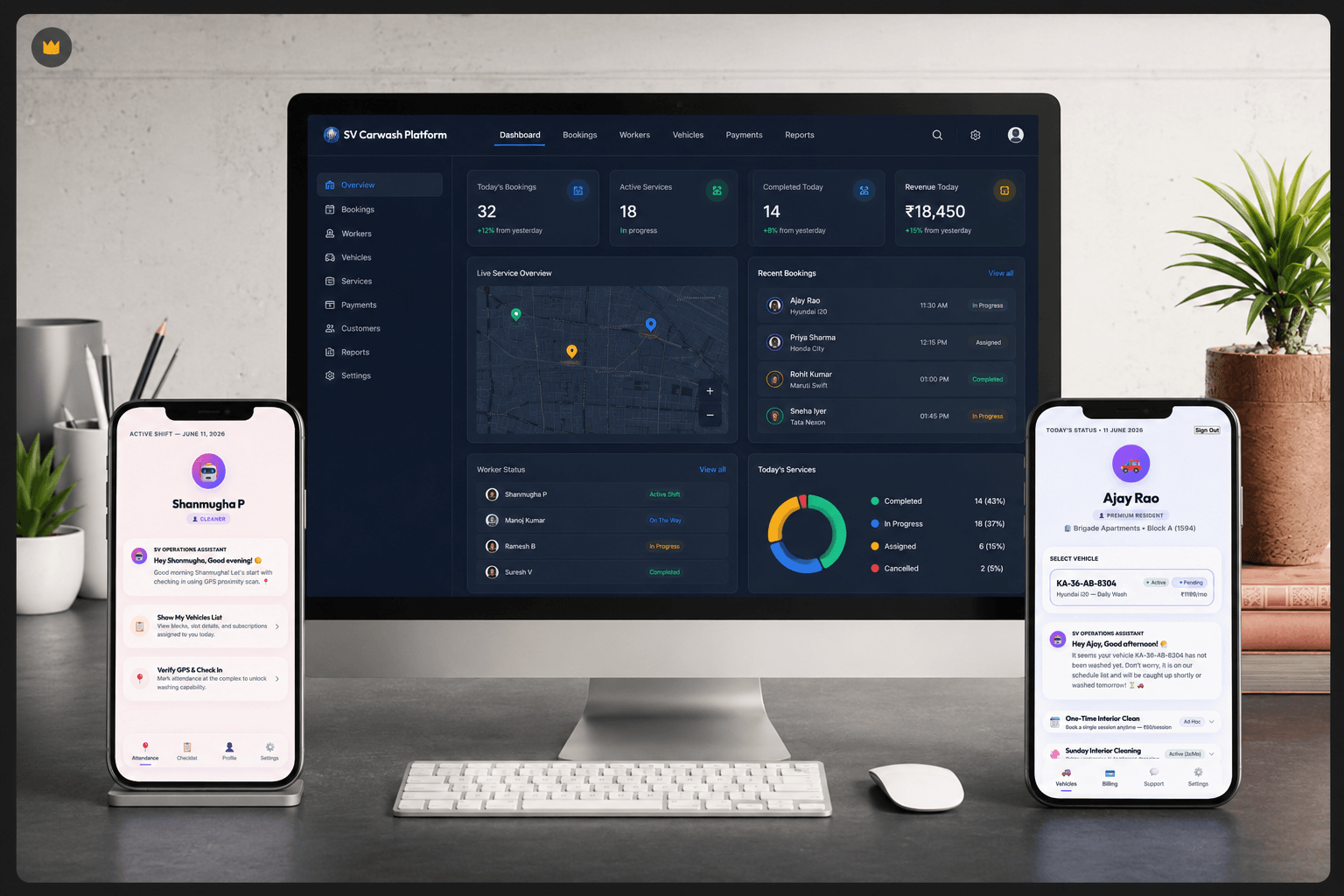
The Business
SV Carwash operates as a doorstep car wash service where customer requests, worker scheduling, and service tracking must happen efficiently.
As booking volumes grow, manual coordination becomes increasingly difficult. The challenge was not simply creating another app. The challenge was designing a connected workflow that could support customers, administrators, and field workers through a single system.
The Operational
Challenge
Before integrating the ecosystem, the business relied on manual, disjointed processes that restricted its ability to scale operational locations.
Customers had zero visibility into active service status, forcing them to make repetitive support calls to confirm if washers had arrived.
Admin dispatchers performed manual schedule coordination, matching washers to routes using chaotic spread sheets and messages.
Field workers managed assignments through call logs and unstructured text lists, leading to routing confusion and inconsistent checklists.
No centralized dashboard existed. Job status updates, customer bookings, coordinates, and feedback had no shared source of truth.
Why Existing Tools
Were Not Enough
Most small service businesses start with messaging apps and spreadsheets. However, as business scales, these tools fail:
- **Phone calls** created massive coordination overhead for dispatchers.
- **WhatsApp conversations** were unstructured and highly difficult to track.
- **Worker updates** were inconsistent, leading to missing logs and delays.
- **Customers** had limited visibility and repeatedly asked for updates.
- **Information** existed in multiple places with no objective confirmation.
The goal was not to build another app. The goal was to create a single operational source of truth.
Understanding the Service
Mapping the physical operational steps that take place behind the screen.
Designing the Ecosystem
The structural loop connecting the customer, office dispatchers, and field workers in a closed system.
Website Booking
Admin Core
Worker App (PWA)
Customer Portal
Service Completed
Updates Customer Portal automatically
From Designer
to Builder
For years I designed interfaces. SV Carwash became the project where I stepped beyond screens and started building systems.
I mapped operational workflows, designed customer and worker experiences, developed frontend interfaces, connected business processes, and transformed a service model into a functioning digital ecosystem. This project represents the point where design thinking evolved into product building.
The Four Roles
Designing interfaces that bridge communication and sync states for every user role.
1. The Customer
The system begins with client booking. Customers configure their vehicle data, map coordinates, packages, and book slots in a transparent step-by-step wizard.
2. Operations Team
Admins manage schedules, coordinate washers, override slots in conflicts, review revenue logs, and track daily operational capacity from a single centralized dash.
3. The Field Worker
Washing crews check routing lists, lock coordinates, and log check-ins. Checklists enforce service guidelines, while status triggers inform the core sync database.
4. Customer Portal
Serves as the visibility layer. Customers track their service lifecycle live, review completed jobs, find past invoices, and rate washers.
Designing
for Adoption
During development, photo verification was considered as part of service completion. However, field testing revealed a practical problem.
Workers were already managing multiple daily services and introducing mandatory photo capture increased friction without providing proportional operational value.
Instead of adding complexity, the workflow was simplified. The final system focused on speed, reliability, and adoption rather than feature count. Sometimes good product design means removing functionality rather than adding it.
The Service Lifecycle
A timeline displaying step-by-step states within the platform.
Browses wash packages on the homepage.
Submits location pin and logs details.
Dispatcher routes and logs job to worker.
Worker check-in updates status logs.
Portal visibility dashboard updates live.
Final verification and sign-off recorded.
Rating sent to sync with admin scores.
Real-World
Outcomes
- **Centralized booking management**: Single digital dashboard replaces fragmented booking streams.
- **Reduced dependence on manual coordination**: Dispatch overhead minimized via optimized route assignment tools.
- **Connected workflows**: Integrated customers, administrators, and ground washing crews.
- **Created a scalable operational framework**: Design architecture is easily expandable for additional cities and franchises.
- **Deployed functioning system**: Shipped as operational business code rather than a static design concept.
Explore the Ecosystem
Interested in exploring the live ecosystem? The demo environment includes the Website, Admin Dashboard, Worker Application, and Customer Portal. Access is available for recruiters, developers, designers, founders, students, and product enthusiasts. Send a quick WhatsApp message and I'll share temporary demo credentials.